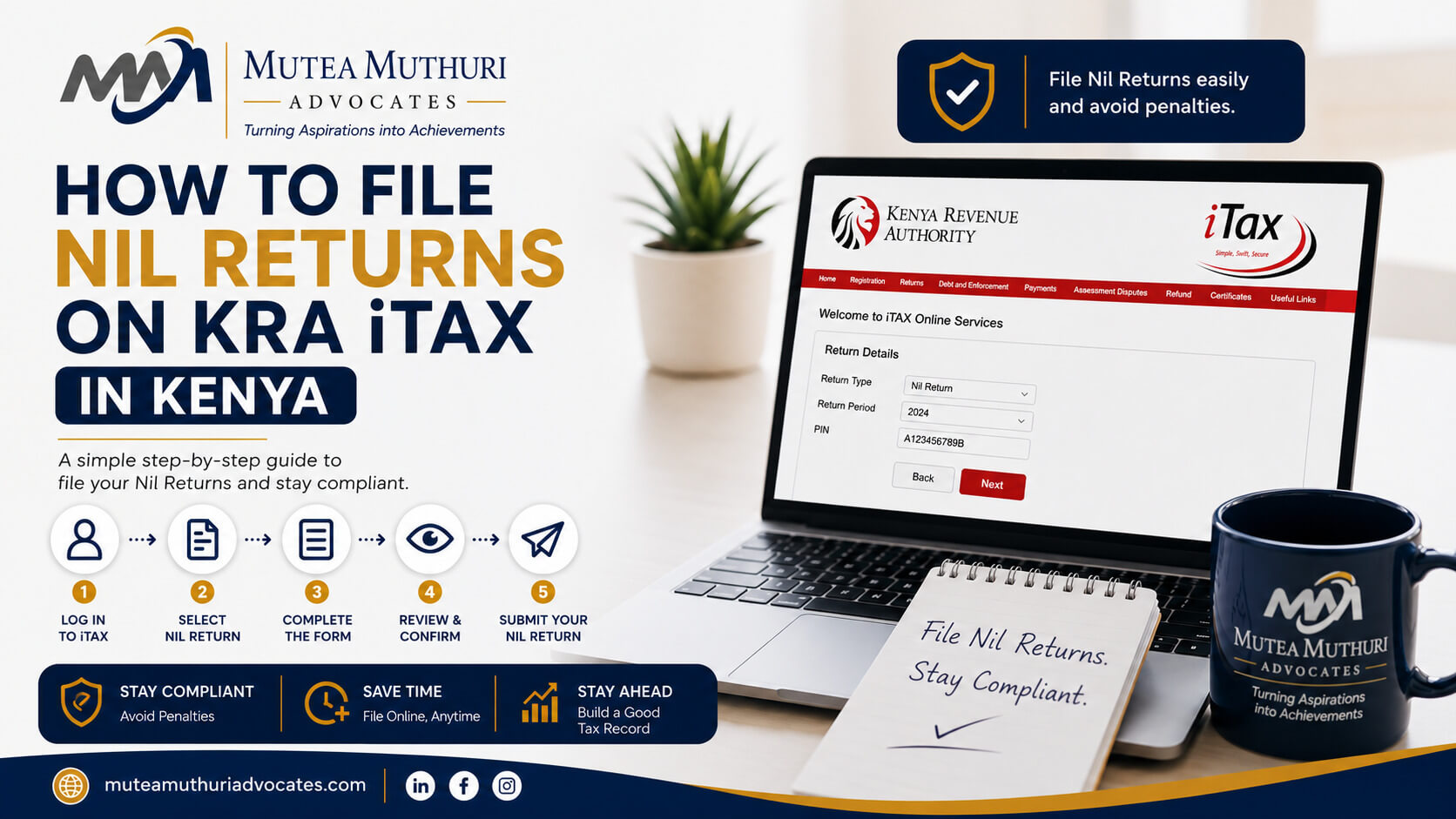
Many people in Kenya assume that if they have no income, they have nothing to file with KRA. This is one of the most common and costly tax mistakes made by individuals and businesses across Nairobi and the rest of the country.
The truth is simple: if you have a KRA PIN, you must file returns - even if you earned absolutely nothing during the year. These are called nil returns, and filing them on time is just as important as filing a return with actual income. Fail to file, and KRA automatically applies a penalty.
The good news is that filing nil returns on iTax is fast, free, and straightforward. This guide walks you through exactly how to do it - step by step - so you can stay compliant and avoid unnecessary penalties before the 30 June deadline.
|
Deadline reminder: Nil returns for individuals and companies with a December year-end must be filed by 30 June. Monthly nil VAT and PAYE returns are due by the 20th and 9th of each month, respectively. |
Related article: KRA Tax Compliance in Kenya: Complete Business Guide
What Are Nil Returns in Kenya?
A nil return is a tax return filed with the Kenya Revenue Authority to declare that you had no taxable income, no taxable transactions, or no employees during a given filing period. It is filed through the iTax portal in the same way as any other return - the only difference is that the income and tax fields are left blank or entered as zero.
The legal obligation to file is found in the Income Tax Act (Cap 470) and the Tax Procedures Act 2015, which require every registered taxpayer to file a return for every applicable period - regardless of whether any tax is due.
Filing a nil return is essentially telling KRA: 'I have a PIN, I am aware of my obligations, and I am confirming I had no taxable activity during this period.' It keeps your tax record clean, maintains your compliance status, and protects your access to a Tax Compliance Certificate (TCC) which is needed for tenders, licences, and banking.
Who Needs to File Nil Returns in Kenya?
You need to file nil returns if you have a KRA PIN and any of the following apply to you:
- You are unemployed or between jobs - if you have a KRA PIN but no employment income during the year, you must file a nil income tax return by 30 June.
- You are a student with no income - students who registered for a PIN to open a bank account or for any other purpose must still file nil returns annually.
- You are self-employed but had no business income - freelancers, consultants, and sole traders with no income during the year must file nil returns.
- Your company is dormant - a company that is registered but has not traded, earned income, or had any financial activity during the year must still file nil company returns.
- You are VAT-registered but had no taxable supplies - a VAT-registered business that made no taxable sales in a given month must file a nil VAT return for that month by the 20th of the following month.
- You are registered for PAYE but had no employees - if you registered for PAYE but had no staff on payroll in a given month, you must file a nil PAYE return by the 9th of the following month.
- You are a landlord with no rental income in a given period - if you are registered for rental income tax but had no tenants or rental income in a period, file a nil return for that period.
|
|
A common scenario: someone registers a company, opens a bank account, but the business never takes off. Even if the company never made a shilling, annual nil returns must be filed every year until the company is formally deregistered. |
How to File Nil Returns on iTax: Step-by-Step
Filing nil returns on iTax takes about 5 minutes once you know the process. Here is the complete step-by-step guide:
Step 1 - Log In to iTax
Go to itax.kra.go.ke and log in using your KRA PIN and password. If you have forgotten your password, click 'Forgot Password' on the login page and follow the prompts to reset it via your registered email address.
Step 2 - Click on Returns
Once you are logged in to your iTax dashboard, click on 'Returns' in the top navigation menu. From the dropdown that appears, select 'File Return'.
Step 3 - Select the Return Type
From the 'Tax Obligation' dropdown, select the type of return you are filing:
- Income Tax - Resident Individual (IT1) - for individual taxpayers
- Income Tax - Company (IT2C) - for registered companies
- VAT - for VAT-registered businesses filing a nil VAT return
- PAYE - for employers registered for PAYE with no staff in the period
Step 4 - Select the Return Period
Select the year or month you are filing for. For the June 2026 deadline, you are filing nil returns for the 2025 year of income (1 January 2025 to 31 December 2025). For monthly returns like VAT and PAYE, select the specific month.
Step 5 - Download the Return Form
iTax will prompt you to download an Excel-based return form. Download it and open it in Microsoft Excel. Do not use Google Sheets or LibreOffice - the forms use Excel macros that will not work correctly in other applications.
Step 6 - Leave Income Fields Blank or Enter Zero
Open the Excel form. For a nil return, you do not need to enter any income or expense figures. Simply ensure that all income fields are either left blank or show zero. Do not delete any cells or modify the structure of the form - just leave the income sections empty.
For the individual IT1 form, fill in Section A (your personal details and tax period) but leave Section B onwards with no figures. The form will calculate a nil tax liability automatically.
Step 7 - Upload the Form Back to iTax
Save the Excel form on your computer. Go back to the iTax portal, click 'Browse' to locate the saved form, and click 'Upload' to submit it.
Step 8 - Submit and Download Your Receipt
iTax will display a summary of your nil return showing zero income and zero tax due. Click 'Submit' to confirm. You will immediately receive an acknowledgement with a unique submission number. Download and save this receipt - it is your legal proof that you filed on time.
|
Always download your acknowledgement receipt immediately after filing. This is your evidence of compliance. If KRA ever queries whether you filed, this receipt is what protects you. |
Nil Returns for Companies: What Is Different?
The process for filing nil returns for a company on iTax is essentially the same as for individuals, but there are a few important differences to be aware of:
- Log in using the company PIN - not the director's personal PIN. The company has its own iTax account linked to its own PIN.
- Select 'Income Tax - Company' (IT2C) - not the individual return type. Using the wrong return type is a common mistake that can cause compliance issues.
- A dormant company still has full filing obligations - even if the company has never traded, it must file nil income tax returns annually, nil PAYE returns monthly if registered for PAYE, and nil VAT returns monthly if registered for VAT.
- Consider deregistering inactive companies - if your company has been dormant for several years with no plans to reactivate it, it may be more practical to formally wind it up and deregister it, removing the ongoing filing obligation entirely.
Related article: Company Registration in Kenya: Complete Guide (2026)
What Penalties Apply for Not Filing Nil Returns in Kenya?
Under the Tax Procedures Act 2015, failing to file a nil return is treated exactly the same as failing to file any other return. The penalties are applied automatically by KRA's system - you do not receive a warning first.
The penalties for late or unfiled nil returns are:
- Individual income tax nil return: KSh 2,000 per return not filed.
- Company income tax nil return: KSh 20,000 or 5% of the tax due, whichever is higher. For a nil return where tax due is zero, this defaults to KSh 20,000.
- Nil VAT return: KSh 10,000 per month not filed.
- Nil PAYE return: KSh 10,000 or 25% of tax due per month not filed. For a nil return, this defaults to KSh 10,000 per month.
These penalties compound quickly. A company that has been dormant for 3 years and has not filed nil returns could face:
- 3 years of nil income tax returns - KSh 60,000 in penalties
- 36 months of nil VAT returns (if VAT registered) - KSh 360,000 in penalties
- 36 months of nil PAYE returns (if PAYE registered) - KSh 360,000 in penalties
This is why addressing dormant company compliance early is so important. The longer you leave it, the larger the penalty bill grows.
Related article: KRA Tax Penalties in Kenya: How to Avoid and Appeal Them
Can You Appeal KRA Penalties for Unfiled Nil Returns?
Yes. KRA has the discretion to waive or reduce penalties in certain circumstances under the Tax Procedures Act. A penalty waiver application can be submitted through iTax or in writing to your nearest KRA office.
To have a realistic chance of a successful waiver application, you generally need to show that:
- The failure to file was not deliberate - for example, you were not aware of the obligation or were facing genuine hardship
- You have now filed all outstanding nil returns
- You have a good compliance history otherwise
KRA does not automatically grant waivers. The application must be well-prepared and clearly argued. Mutea Muthuri & Associates Advocates assists businesses and individuals across Nairobi, Meru, and Kenol with preparing and submitting KRA penalty waiver applications - including for dormant companies with accumulated nil return penalties.
How to File Multiple Years of Outstanding Nil Returns
If you have missed nil returns for more than one year, do not panic. You can file multiple years of outstanding nil returns through iTax. Here is how:
1. Log in to your iTax account.
2. Click 'Returns' and select 'File Return'.
3. Select the return type and the earliest outstanding period first.
4. Download, complete with zero figures, upload, and submit.
5. Repeat the process for each outstanding period in chronological order - earliest first, then working forward to the most recent.
6. Download and save the acknowledgement receipt for each submission.
Filing all outstanding nil returns as quickly as possible stops the penalties from growing further. Once filed, you can then apply for a penalty waiver if the accumulated penalties are significant.
|
File outstanding returns immediately - even if you cannot pay the penalties yet. The penalty clock stops ticking on the date you file, not the date you pay the penalty. Filing now limits your total exposure. |
Frequently Asked Questions
What are nil returns in Kenya?
Nil returns are tax returns filed with KRA to declare that you had no taxable income, no taxable transactions, or no employees during a filing period. Anyone with a KRA PIN must file nil returns for any period in which they had no taxable activity. Failing to file attracts an automatic penalty even when no tax is owed.
How do I file nil returns on KRA iTax?
Log in to itax.kra.go.ke using your KRA PIN and password. Click Returns, select File Return, choose your return type and period, download the Excel form, open it in Microsoft Excel, leave all income fields blank, save it, upload it back to iTax, and submit. Download your acknowledgement receipt as proof of filing.
What is the deadline for nil returns in Kenya?
For individual and company income tax nil returns, the deadline is 30 June each year for the previous year of income. For nil VAT returns, the deadline is the 20th of the following month. For nil PAYE returns, the deadline is the 9th of the following month.
What is the penalty for not filing nil returns in Kenya?
Individuals face a KSh 2,000 penalty per unfiled nil return. Companies face KSh 20,000 per unfiled nil income tax return. Nil VAT returns attract KSh 10,000 per month. Nil PAYE returns attract KSh 10,000 per month. These penalties are applied automatically and accumulate for every missed period.
Related article: KRA Tax Penalties in Kenya: How to Avoid and Appeal Them
Do I need to file nil returns if my company is not trading?
Yes. A dormant company that is registered in Kenya must still file nil returns for every applicable tax obligation until it is formally deregistered. This includes nil income tax returns annually, and nil VAT and PAYE returns monthly if registered for those taxes.
Can I file nil returns for previous years on iTax?
Yes. You can file outstanding nil returns for previous years through iTax. Select the relevant return type and filing period, complete the form with zero figures, and submit. File the earliest outstanding year first and work forward. Filing all outstanding returns stops further penalties from accumulating.
Do I need a KRA PIN to file nil returns?
Yes. You need a KRA PIN and an active iTax account to file any return, including nil returns. If you do not yet have a PIN, register for one on the iTax portal before attempting to file.
Related article: How to Get a KRA PIN in Kenya: Step-by-Step Guide
Behind on Your KRA Nil Returns? We Can Help.
Whether you are an individual who has missed a few years of nil returns, a dormant company facing mounting penalties, or a business trying to clear a backlog of unfiled returns before the 30 June deadline - Mutea Muthuri & Associates Advocates can help.
Our tax team assists individuals, SMEs, and companies across Nairobi, Meru, and Kenol with filing outstanding returns, negotiating penalty waivers with KRA, and getting your compliance back on track.
Contact us today on +254 720 800 094 or visit our contact page to speak with a tax lawyer in Nairobi.