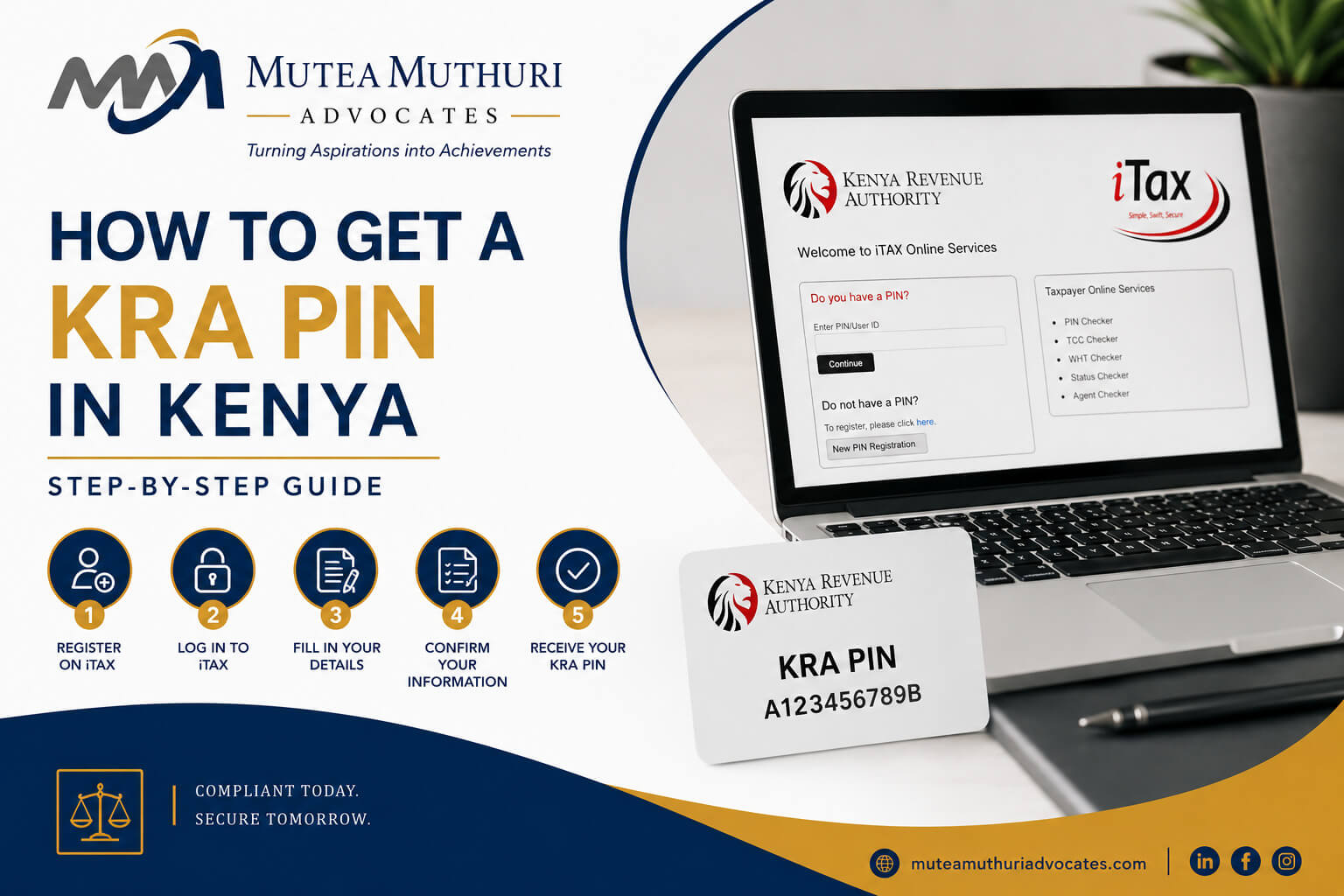
Before you can file any KRA returns, open a business bank account, register a company, buy or sell land, or apply for a government licence in Kenya, you need one thing: a KRA Personal Identification Number, commonly known as a KRA PIN.
Getting a KRA PIN in Kenya is free and can be done online in a matter of minutes through the iTax portal. Yet many people - especially first-time taxpayers, new business owners, and foreign nationals - find the process confusing and end up stuck or making errors that delay their registration.
This guide walks you through exactly how to register for a KRA PIN in Kenya - for individuals, companies, and foreign nationals - step by step, in plain language.
|
Related article: KRA Tax Compliance in Kenya: Complete Business Guide
What Is a KRA PIN and Why Do You Need One?
A KRA PIN is a unique identifier issued by the Kenya Revenue Authority to every taxpayer in Kenya. It is the number that links all your tax obligations, payments, and filing history to your identity. Under the Income Tax Act (Cap 470) and the Tax Procedures Act 2015, obtaining a PIN is mandatory for any person or entity with taxable obligations in Kenya.
Without a KRA PIN, you cannot do any of the following:
- File any KRA tax returns - income tax, VAT, PAYE, or nil returns
- Register a limited company or business name in Kenya
- Open a business bank account
- Buy, sell, or transfer land or property
- Apply for a government tender or contract
- Renew a business licence or permit
- Apply for a work permit for a foreign employee
- Access certain financial services including mortgages and investment accounts
Who Needs to Register for a KRA PIN in Kenya?
KRA PIN registration is required for:
- Kenyan citizens and residents - any individual who is employed, self-employed, a business owner, a landlord, or who owns property or investments in Kenya.
- Registered companies and businesses - every company, partnership, sole proprietorship, and business name registered in Kenya must have its own PIN, separate from the PIN of its directors or owners.
- Foreign nationals working in Kenya - any non-citizen who is employed or running a business in Kenya must register for a KRA PIN, even if they are only working here temporarily.
- Foreign companies operating in Kenya - international companies with a branch, subsidiary, or permanent establishment in Kenya require a PIN.
- NGOs and charitable organisations - any non-governmental organisation registered in Kenya must have a KRA PIN to comply with financial reporting obligations.
|
Even if you are a student, unemployed, or have no source of income, if you have ever applied for a national ID you may already have a KRA PIN assigned to you. Check the iTax portal before attempting to register. |
What You Need Before You Start
Have the following documents and information ready before you begin the registration process on iTax:
For Individual Kenyan Citizens
- Your national ID number
- Your date of birth
- A valid, active email address - this will be used to receive your PIN certificate and iTax password
- Your phone number
- Your physical address including county and sub-county
- A valid passport - you will need the passport number and details
- An alien ID card number if you have one
- Your date of birth
- A valid email address
- Your physical address in Kenya
- Certificate of incorporation or registration certificate
- Company registration number (as shown on the certificate)
- Date of incorporation
- Registered physical address of the company
- KRA PIN of at least one director or official - the company PIN is linked to the director's personal PIN
- A valid email address for the company
|
Use an email address you actively check and can access long term. Your iTax password and all KRA correspondence will be sent to this address. If you lose access to the email, recovering your iTax account becomes significantly harder. |
How to Register for a KRA PIN as an Individual (Step-by-Step)
Individual KRA PIN registration is done entirely online through the iTax portal. You do not need to visit a KRA office. Here is the complete process:
Step 1 - Go to the iTax Portal
Open your browser and go to itax.kra.go.ke. On the homepage, click the button that says 'New PIN Registration'. This will open the PIN registration form.
Step 2 - Select Your Taxpayer Type
From the dropdown menu, select your taxpayer type. For an individual Kenyan citizen, select 'Individual'. For a foreign national, select 'Individual - Non-Resident' or 'Individual - Resident' depending on your tax residency status in Kenya.
Step 3 - Fill In Your Personal Details
Enter your details exactly as they appear on your national ID or passport:
- Full name - first name, middle name (if any), and surname
- Date of birth
- ID type - select 'National ID' for Kenyan citizens or 'Passport' for foreign nationals
- ID or passport number
- Gender
Step 4 - Enter Your Contact Details
Provide your:
- Email address - enter carefully and double-check it, as your PIN certificate will be sent here
- Mobile phone number
- Physical address - county, sub-county, ward, and town
- Postal address if you have one
Step 5 - Select Your Tax Obligations
iTax will ask you to select the tax obligations that apply to you. For most individuals, select 'Income Tax - Resident Individual'. If you are a landlord, also select 'Income Tax - Rental Income (MRI)'. If you expect to earn business income, select 'Income Tax - Resident Individual' which covers business income as well.
Do not select VAT or PAYE at this stage unless you are already running a business that meets the VAT threshold or has employees. You can add tax obligations later if needed.
Step 6 - Upload Supporting Documents
Scan or photograph a clear copy of your national ID (front and back) or passport. Upload the files in the format required by iTax - usually PDF or JPEG. Make sure the documents are clear and all text is readable.
Step 7 - Submit Your Application
Review all your details carefully before submitting. Once you are satisfied everything is correct, click 'Submit'. iTax will display a confirmation message with your new KRA PIN number.
Step 8 - Receive Your PIN Certificate
Your KRA PIN certificate will be sent to the email address you provided. It will also be available to download from your iTax account. The certificate shows your full name, KRA PIN, and registration date. Save it and keep it in a safe place - you will need it for many official transactions in Kenya.
|
Your KRA PIN is a permanent number - it does not expire and does not change. Once registered, you will use the same PIN for all tax-related transactions in Kenya for the rest of your life. |
How to Register a KRA PIN for a Company in Kenya
Company PIN registration follows the same general process on iTax but requires a few additional steps and documents. Here is what differs for company registration:
Step 1 - Log In Using a Director's Personal PIN
To register a company PIN, you must first log in to iTax using the personal PIN of one of the company's directors. The company PIN will be linked to this director's account.
Step 2 - Select New PIN Registration for a Non-Individual
On the iTax dashboard, click 'New PIN Registration' and select 'Non-Individual' as the taxpayer type. Then select the entity type - 'Private Limited Company', 'Public Limited Company', 'Sole Proprietorship', 'Partnership', or 'NGO' as appropriate.
Step 3 - Enter Company Details
Fill in the company's registered details:
- Company name - exactly as it appears on the certificate of incorporation
- Company registration number
- Date of incorporation
- Registered physical address
- Nature of business - select the most appropriate business activity
Step 4 - Add Director Details
Enter the details of at least one director, including their personal KRA PIN. This links the company PIN to the director's account on iTax.
Step 5 - Select Tax Obligations
Select the tax obligations applicable to the company. Most companies will need at minimum 'Income Tax - Company'. Add 'VAT' if the company's annual turnover is expected to exceed KSh 5 million. Add 'PAYE' if the company has or plans to have employees.
Step 6 - Upload Documents
Upload clear scanned copies of the certificate of incorporation and the national IDs or passports of the directors. Submit and download the company's PIN certificate.
|
How to Register a KRA PIN as a Foreign National in Kenya
Foreign nationals working or doing business in Kenya follow a similar process on iTax, with a few important differences:
- Use your passport number as your identification document, not a national ID
- Select 'Individual - Non-Resident' if you are not tax resident in Kenya, or 'Individual - Resident' if you have been in Kenya for more than 183 days in a 12-month period
- You will need a valid Kenyan address - your employer's address or the address of your Kenyan business can be used
- If you hold an alien ID card issued by the Department of Immigration, include that number as well
Many foreign nationals in Nairobi find the PIN registration process straightforward. However, if your employment or immigration status is complex, or if you are registering as a non-resident company with operations in Kenya, getting legal guidance from a trusted tax lawyer in Kenya from the outset saves significant time. Mutea Muthuri & Associates Advocates assists foreign nationals and international companies with KRA PIN registration as part of our broader tax and immigration services in Nairobi, Meru, and Kenol.
Common Problems When Registering for a KRA PIN in Kenya
- Email not received - check your spam or junk mail folder first. If the email is still not there after 30 minutes, log back in to iTax and check whether your application was successfully submitted. You can also download the PIN certificate directly from your iTax account under 'PIN Certificate'.
- Name mismatch - your name on iTax must match exactly what appears on your national ID or passport. Even small differences - a missing middle name, an abbreviated first name - can cause the registration to fail or create problems later.
- Duplicate PIN error - if iTax tells you a PIN already exists for your ID number, you already have a KRA PIN. Log in using the 'Forgot PIN' or 'Forgot Password' option to retrieve your existing account rather than trying to register again.
- Invalid ID number - double-check that you are entering your national ID number correctly. The iTax system validates ID numbers against the National Registration Bureau database, so any error will cause the registration to fail.
- Portal timeout - the iTax portal can be slow, particularly around peak filing periods in May and June. If the page times out before you can submit, try again at an off-peak time - early morning or late evening usually works better.
How to Retrieve a Lost or Forgotten KRA PIN
If you have forgotten your KRA PIN or lost your PIN certificate, you can retrieve it through the iTax portal without visiting a KRA office:
1. Go to itax.kra.go.ke and click 'Forgot PIN'.
2. Enter your ID number or passport number.
3. Enter your date of birth.
4. iTax will display your KRA PIN on screen and give you the option to download your PIN certificate.
If you have also forgotten your iTax password, use the 'Forgot Password' option on the login page. A password reset link will be sent to your registered email address. If you no longer have access to that email, you will need to visit a KRA service centre in Nairobi or your nearest KRA office with your original ID to update your contact details.
How to Update Your KRA PIN Details
If your personal details have changed - for example, you have changed your name, moved to a new address, or changed your email address - you can update your KRA PIN details directly on iTax:
5. Log in to iTax using your KRA PIN and password.
6. Click on 'Registration' in the top menu.
7. Select 'Amend PIN Details'.
8. Update the relevant fields and upload any supporting documents required.
9. Submit the amendment. Changes are usually processed within one to two business days.
Keeping your KRA PIN details up to date is important. Outdated contact details mean you may miss important KRA notifications, which can result in penalties for unfiled returns that you were not even aware were due.
Frequently Asked Questions
How do I get a KRA PIN in Kenya?
Register for free online through the iTax portal at itax.kra.go.ke. Click 'New PIN Registration', select your taxpayer type (individual or non-individual), fill in your details, upload your ID or passport, and submit. Your PIN certificate is emailed to you immediately after successful registration.
Is KRA PIN registration free?
Yes. KRA PIN registration is completely free of charge. You do not need to pay any fee to KRA to register for a PIN. If anyone asks you to pay for a PIN registration, it is a scam.
How long does it take to get a KRA PIN in Kenya?
For individuals, the process takes between 10 and 30 minutes online and your PIN is issued immediately upon successful submission. For companies, the process may take slightly longer depending on document verification but is usually completed within one business day.
Can a foreigner get a KRA PIN in Kenya?
Yes. Any foreign national working or doing business in Kenya can and must register for a KRA PIN. Use your passport as your identification document and follow the same iTax registration process. Select the appropriate residency status based on how long you have been or plan to be in Kenya.
What if I already have a KRA PIN but do not know what it is?
Go to itax.kra.go.ke and click 'Forgot PIN'. Enter your national ID or passport number and date of birth. iTax will display your existing PIN and allow you to download your PIN certificate. Do not register a new PIN if you already have one - having duplicate PINs creates compliance problems.
Do I need a KRA PIN if I have no income?
Yes. Anyone with a KRA PIN is required to file returns - even nil returns - regardless of whether they have any income. If you have a national ID but have not yet registered for a PIN, you should do so and file nil returns to remain compliant and avoid penalties.
Related article: How to File Nil Returns on KRA iTax in Kenya
Can I have more than one KRA PIN?
No. Each individual and each company is entitled to only one KRA PIN. Having duplicate PINs is against KRA regulations and can create serious compliance complications. If you think you may have more than one PIN, contact KRA or visit a KRA service centre to have the duplicates deregistered.
Need Help With KRA Registration or Tax Compliance in Kenya?
Whether you need help registering your KRA PIN, filing your returns before the 30 June deadline, or resolving a KRA compliance issue - Mutea Muthuri & Associates Advocates is here to help. Our tax team assists individuals, SMEs, and companies across Nairobi, Meru, and Kenol with all KRA-related matters.
Contact us today on +254 720 800 094 or visit our contact page to speak with a tax lawyer in Nairobi.